

WordPipe 7.0
Use WordPipe Find and Replace for Word to migrate Microsoft Word hyperlinks
Program info
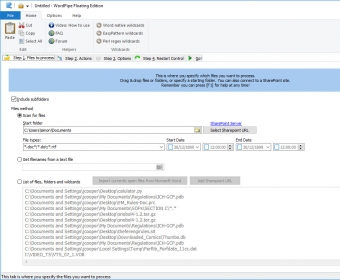
Use WordPipe Find and Replace for Word to migrate Microsoft Word hyperlinks when you rename file servers, to translate files by applying massive search/replace lists, or find and replace your organization's name, address, website etc across thousands of worksheets - automatically.
WordPipe is designed as a hands-off tool requiring next to no user intervention, as you would expect for migrating large numbers of files. It copes with a myriad range of Microsoft Word bugs, such as restarting Microsoft Word every 1000 documents to avoid memory errors. It also copes with the largest variety of problem documents of any tool, ranging from password protected and corrupted documents to SharePoint locked documents.
Details
Extensions

No information available
The data will be available later.Awards

Related software

This app allows you to make multiple text changes in multiple Word documents.

This app allows you to search into PDF and Word documents for phrases.

Find & replace, and highlight each word with different criteria and formatting.
Related stories
See all
Gen Alpha grew up with apps, search, and cloud storage—not folders. Here’s why files feel invisible and why basic computer skills still matter.

Claude can now leave an invisible watermark in AI-assisted text. Here’s what it proves, what it doesn’t, and why authorship is getting harder to define.

AI text has tells, but no single word or detector can prove authorship. Here’s how to spot the patterns, check the facts, and avoid false positives.


Comments